


How to print cartoon stickers with a gradient color effect digitally?
In the realm of digital printing, creating cartoon stickers with a gradient color effect is both an art and a science. As a seasoned supplier in the field of cartoon sticker digital printing, I've had the privilege of witnessing the evolution of this craft and mastering the techniques to produce stunning results. In this blog, I'll share with you the step-by-step process of printing cartoon stickers with a gradient color effect digitally, along with some tips and insights to help you achieve the best possible outcome.
Understanding Gradient Color Effects
Before we dive into the printing process, it's important to understand what gradient color effects are and why they're so popular in cartoon sticker design. A gradient is a smooth transition between two or more colors, creating a sense of depth, dimension, and visual interest. In cartoon stickers, gradients can be used to add realism, mood, and style to the artwork, making the characters and scenes come to life.
There are several types of gradients that you can use in your sticker designs, including linear gradients, radial gradients, and angular gradients. Linear gradients transition from one color to another in a straight line, while radial gradients transition from a central point outward in a circular pattern. Angular gradients, on the other hand, transition from one color to another at an angle, creating a more dynamic and interesting effect.
Preparing Your Design
The first step in printing cartoon stickers with a gradient color effect digitally is to prepare your design. This involves creating or selecting a cartoon image that you want to use for your sticker, and then adding the gradient color effect using a graphic design software such as Adobe Photoshop or Illustrator.
When creating your design, it's important to keep in mind the size and shape of your sticker, as well as the type of gradient color effect that you want to achieve. You can experiment with different colors, gradients, and blending modes to create a unique and eye-catching design that stands out from the crowd.

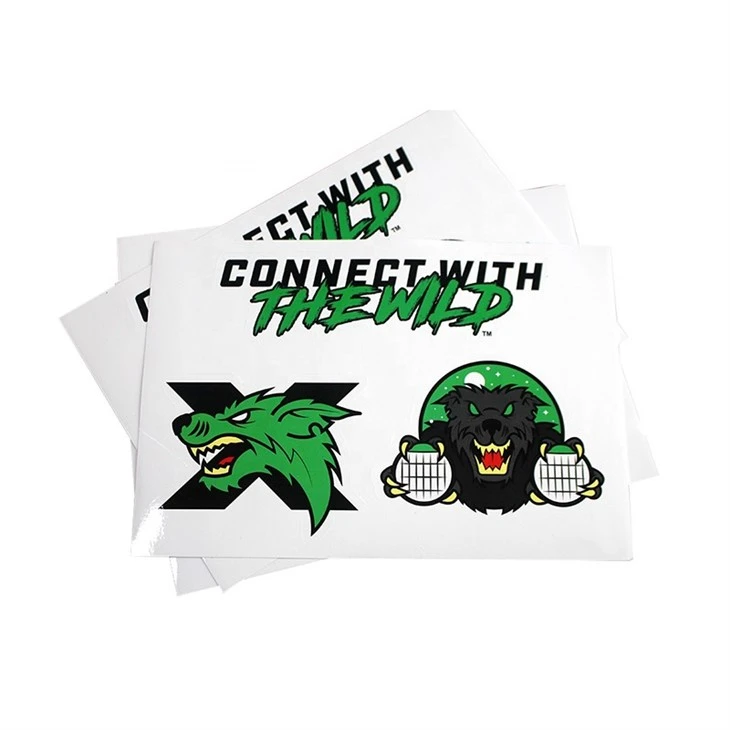
Once you've created your design, you'll need to save it in a high-resolution format such as PNG or JPEG. This will ensure that your sticker prints clearly and crisply, with no pixelation or blurring.
Choosing the Right Printing Method
There are several different printing methods that you can use to print cartoon stickers with a gradient color effect digitally, including inkjet printing, laser printing, and digital printing. Each method has its own advantages and disadvantages, so it's important to choose the one that's best suited for your specific needs and budget.
- Inkjet Printing: Inkjet printing is a popular choice for printing cartoon stickers with a gradient color effect because it allows you to print high-quality, full-color images on a variety of materials, including paper, vinyl, and sticker paper. Inkjet printers use tiny droplets of ink to create the image, which are then absorbed into the material. This results in a smooth, vibrant, and detailed print that looks great on stickers.
- Laser Printing: Laser printing is another option for printing cartoon stickers with a gradient color effect. Laser printers use a laser beam to transfer toner onto the material, which is then fused onto the surface using heat. This results in a sharp, crisp, and durable print that is resistant to fading and smudging. However, laser printing is typically more expensive than inkjet printing, and it may not be suitable for printing on certain materials.
- Digital Printing: Digital printing is a newer technology that combines the best of both inkjet and laser printing. Digital printers use a combination of inkjet and laser technology to print high-quality, full-color images on a variety of materials, including paper, vinyl, and sticker paper. Digital printing is fast, efficient, and cost-effective, making it a popular choice for printing large quantities of stickers.
Selecting the Right Material
In addition to choosing the right printing method, it's also important to select the right material for your cartoon stickers. The material you choose will depend on a variety of factors, including the type of sticker you want to create, the environment in which it will be used, and your budget.
- Sticker Paper: Sticker paper is a popular choice for printing cartoon stickers because it is affordable, easy to use, and comes in a variety of colors and finishes. Sticker paper is typically made from a thin, flexible paper that is coated with an adhesive on one side. This allows you to easily cut out your stickers and apply them to a variety of surfaces.
- Vinyl: Vinyl is a durable and waterproof material that is commonly used for printing outdoor stickers, such as bumper stickers and window decals. Vinyl stickers are typically printed using a digital printing method, and they can be customized with a variety of colors, gradients, and finishes.
- Magnetic Material: Magnetic material is a unique and fun option for printing cartoon stickers. Magnetic stickers can be easily attached to any magnetic surface, such as a refrigerator or a filing cabinet, making them a great way to decorate your home or office.
Printing Your Stickers
Once you've prepared your design, chosen the right printing method, and selected the right material, it's time to print your cartoon stickers with a gradient color effect digitally. The printing process will vary depending on the type of printer and material you're using, but here are some general steps to follow:
- Load the Material: Load the material into your printer according to the manufacturer's instructions. Make sure that the material is properly aligned and secured in the printer to prevent any misprints or smudging.
- Adjust the Printer Settings: Adjust the printer settings to match the type of material and printing method you're using. This may include selecting the appropriate paper type, print quality, and color mode.
- Print a Test Print: Before printing your entire batch of stickers, it's a good idea to print a test print to make sure that the colors and gradients look correct. This will allow you to make any necessary adjustments to your design or printer settings before printing the final stickers.
- Print Your Stickers: Once you're satisfied with the test print, you can print your entire batch of stickers. Make sure to monitor the printing process closely to ensure that the stickers are printing correctly and that there are no issues with the printer or the material.
Cutting and Finishing Your Stickers
After your stickers have been printed, you'll need to cut them out and finish them. This involves using a pair of scissors or a cutting machine to cut out the individual stickers from the sheet of material, and then applying a finishing treatment to protect the stickers from damage and make them more durable.
- Cutting: There are several different ways to cut out your stickers, including using a pair of scissors, a craft knife, or a cutting machine. If you're cutting out a small number of stickers, using a pair of scissors or a craft knife may be the easiest and most cost-effective option. However, if you're cutting out a large number of stickers, using a cutting machine such as a Cricut or Silhouette may be more efficient and accurate.
- Finishing: Once your stickers have been cut out, you can apply a finishing treatment to protect them from damage and make them more durable. This may include applying a clear laminate or varnish to the surface of the stickers, or using a heat press to seal the edges of the stickers.
Tips and Tricks
Here are some tips and tricks to help you print cartoon stickers with a gradient color effect digitally:
- Use High-Quality Images: To ensure that your stickers print clearly and crisply, it's important to use high-quality images that are at least 300 DPI (dots per inch). This will ensure that your stickers look great and that there is no pixelation or blurring.
- Experiment with Different Gradients: Don't be afraid to experiment with different gradients and colors to create a unique and eye-catching design. You can use a graphic design software such as Adobe Photoshop or Illustrator to create custom gradients and blend modes that will make your stickers stand out from the crowd.
- Test Your Design: Before printing your entire batch of stickers, it's a good idea to test your design on a small sample of material to make sure that the colors and gradients look correct. This will allow you to make any necessary adjustments to your design or printer settings before printing the final stickers.
- Use a Cutting Machine: If you're cutting out a large number of stickers, using a cutting machine such as a Cricut or Silhouette may be more efficient and accurate than using a pair of scissors or a craft knife. Cutting machines can cut out your stickers quickly and precisely, saving you time and effort.
- Protect Your Stickers: To ensure that your stickers last as long as possible, it's important to protect them from damage and wear. You can do this by applying a clear laminate or varnish to the surface of the stickers, or by using a heat press to seal the edges of the stickers.
Conclusion
Printing cartoon stickers with a gradient color effect digitally is a fun and creative way to express your personality and style. By following the steps outlined in this blog, you can create high-quality, full-color stickers that look great and last for a long time. Whether you're a beginner or an experienced designer, there are plenty of options available to help you print the perfect cartoon stickers with a gradient color effect.
If you're interested in purchasing waterproof adhesive cartoon sticker digital print or DIY cartoon sticker digital printing services, please visit our website Waterproof Adhesive Cartoon Sticker Digital Print and DIY Cartoon Sticker Digital Printing. We're a leading supplier of cartoon sticker digital printing services, and we're committed to providing our customers with the highest quality products and services at competitive prices. Contact us today to learn more about our products and services, and to start creating your own custom cartoon stickers with a gradient color effect!
References
- Adobe Photoshop User Guide
- Adobe Illustrator User Guide
- Inkjet Printer Manufacturer's Manual
- Laser Printer Manufacturer's Manual
- Digital Printer Manufacturer's Manual
- Sticker Paper Manufacturer's Manual
- Vinyl Manufacturer's Manual
- Magnetic Material Manufacturer's Manual
